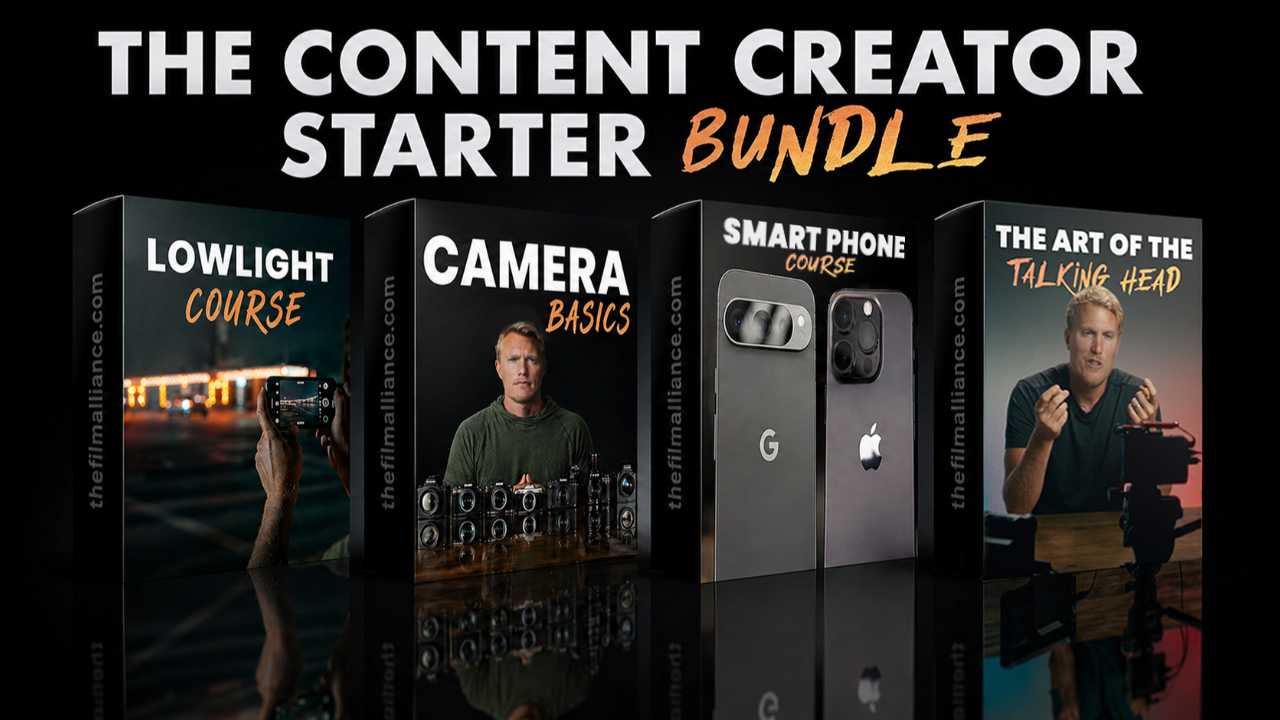
The Content Creator Starter Bundle: Finally Understand Your Camera and Create Better Content
Aug 19, 2026The Content Creator Starter Bundle Course - https://www.thefilmalliance.com/the-content-creator-starter-bundle
Buying a better camera does not automatically make your videos look better.
I know that can be frustrating to hear, especially when you have already spent hundreds or even thousands of dollars on a camera, lens, smartphone, microphone, or lighting setup. But the truth is that most beginners do not have a gear problem. They have an understanding problem.
They have never been shown how exposure works, which camera settings actually matter, how to use light correctly, or how to create a clean and intentional setup.
That is exactly why I created The Content Creator Starter Bundle.
This beginner-friendly content creator course includes four complete courses designed to help you understand your camera, improve your smartphone videos, create professional talking head content, and shoot better footage in low-light environments.
Instead of spending months jumping between random YouTube tutorials, you can follow a clear, step-by-step path that teaches you what you need to know in the right order.
What Is The Content Creator Starter Bundle?
The Content Creator Starter Bundle is a collection of four beginner-friendly courses created for photographers, videographers, YouTubers, business owners, travelers, influencers, and anyone who wants to create better photo and video content.
The bundle includes:
- 3-Day Camera Jumpstart
- Smartphone Content Creation Course
- The Art of the Talking Head
- How to Shoot Video in Low Light With Any Camera
Together, these courses cover the essential skills that most new creators struggle with, including camera setup, exposure, white balance, lighting, focus, framing, smartphone settings, talking head videos, photography, low-light shooting, and choosing the right recording settings.
The goal is not to overwhelm you with technical language.
My goal is to help you understand why your footage looks the way it does and show you how to improve it using the camera or smartphone you already own.
Who Is This Content Creation Course For?
I designed The Content Creator Starter Bundle for people who want their videos and photos to look more professional but are not sure where to begin.
This bundle may be a good fit for you if:
- You recently purchased a camera and feel overwhelmed by the buttons, menus, and settings.
- You create YouTube videos, social media content, courses, advertisements, or business videos.
- You want to improve your videos without constantly purchasing new gear.
- You film with an iPhone or Android and want more control over your image.
- You struggle with exposure, focus, lighting, white balance, or camera movement.
- You want your talking head videos to look cleaner and more intentional.
- Your nighttime or low-light footage looks noisy, blurry, or poorly exposed.
- You want to understand photography and videography without getting buried in complicated terminology.
You do not need an expensive professional camera to benefit from the bundle.
The lessons are designed to apply across popular camera brands, including Sony, Canon, Nikon, Fujifilm, Panasonic, and other interchangeable-lens cameras. There is also an entire course dedicated to people who primarily create content using a smartphone.
Course 1: The 3-Day Camera Jumpstart
The 3-Day Camera Jumpstart gives you a beginner-friendly foundation for understanding photography and videography.
This course is structured around three focused days so you can start improving quickly without feeling overwhelmed.
Day 1: Camera Confidence in 90 Minutes
On the first day, we cover the basic concepts that every new camera owner should understand.
You will learn about different camera types, sensor sizes, crop factors, stabilization, and the realistic limitations of your camera.
I will also walk you through setting up your camera properly so you are not accidentally using settings that reduce your image quality or make filming more difficult.
We then begin covering exposure, white balance, and lighting so you can immediately start creating cleaner footage.
You will also learn how to avoid several of the most common beginner camera mistakes.
Day 2: A Real-World Video Workflow
Day 2 is focused on actually using your camera in real-world situations.
I explain when you may want to use Program Auto and when it makes sense to take more control with Manual mode.
You will learn how to handle harsh sunlight, which buttons and dials matter, and how custom settings can make your camera faster and easier to use.
We also cover techniques for filming yourself, creating simple interview setups, and keeping your subject in focus.
You will learn how to select the right resolution, frame rate, and aspect ratio based on the type of video you are creating.
Instead of memorizing a list of settings, you will begin understanding how those settings work together.
Day 3: Video Improvements and Photography Essentials
The final day helps you lock in what you have learned.
We cover common mistakes that can ruin your videos and several quick improvements you can use to level up your footage.
The photography section explains how shooting still photos differs from recording video.
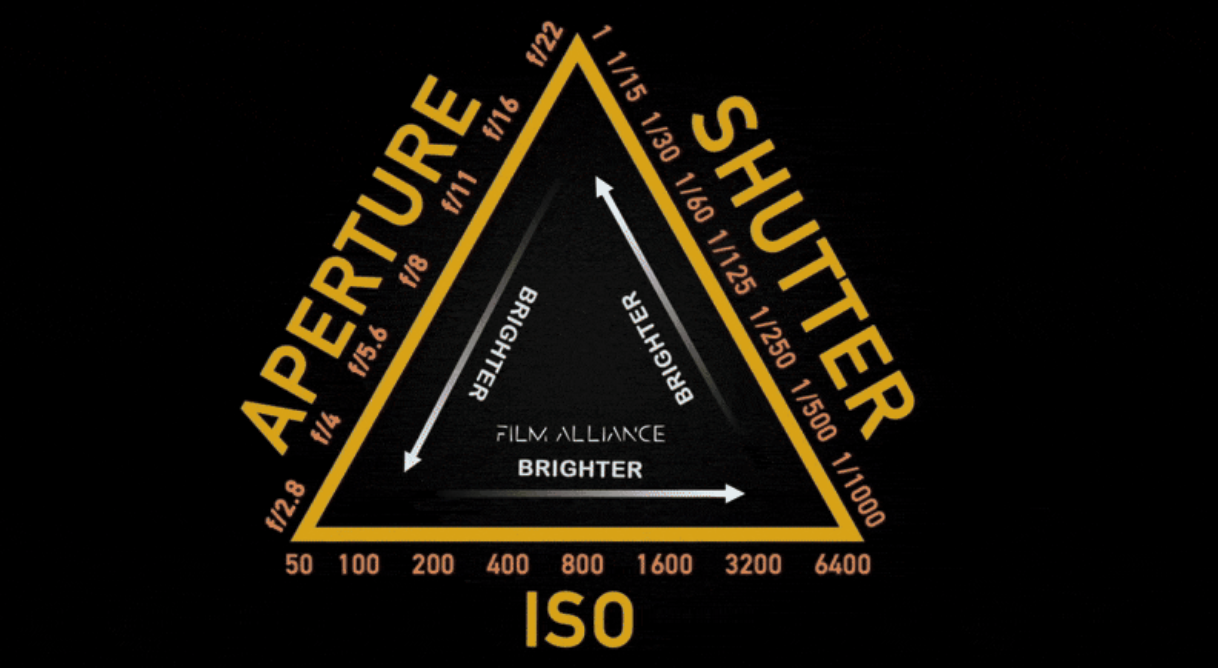
You will learn when to use Aperture Priority and when Manual mode may be the better choice. We also cover the exposure triangle for photography, white balance, focusing, metering modes, exposure controls, flash, and basic photo lighting.
By the end of the 3-Day Camera Jumpstart, you should have a much clearer understanding of what your camera is doing and how to control it.
Course 2: Smartphone Content Creation
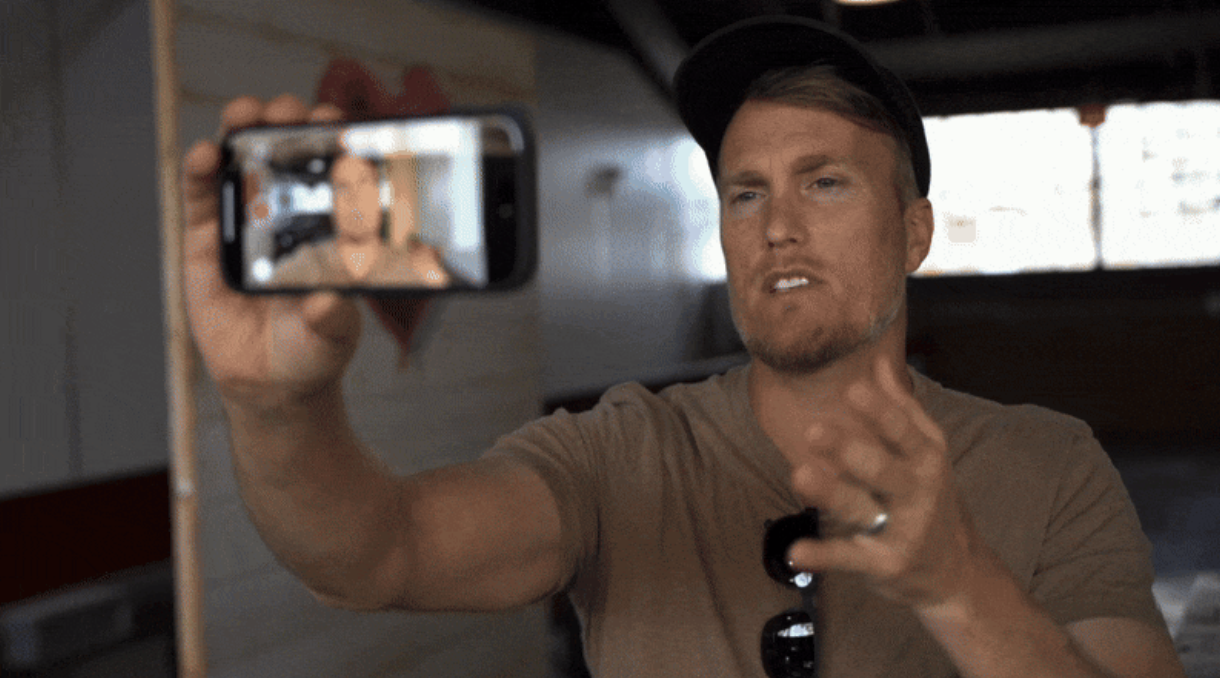
You do not need a mirrorless camera to create professional-looking content.
Modern smartphones are incredibly capable, but automatic camera controls can sometimes work against you. Exposure can suddenly change, focus can drift, colors can shift, and stabilization may not look as smooth as you expected.
The Smartphone Content Creation Course teaches you how to get more consistent results from an iPhone or Android device.
Inside the course, you will learn how to:
- Adjust your phone’s camera settings for cleaner and sharper footage.
- Lock exposure so the brightness does not constantly change.
- Correct white balance and avoid unwanted color shifts.
- Stabilize smartphone footage using simple techniques and affordable accessories.
- Use windows, lamps, and natural light to improve your videos.
- Choose the right resolution, frame rate, and color profile.
- Film yourself while maintaining reliable focus.
- Capture cleaner audio in difficult environments.
- Avoid common smartphone filming mistakes.
A smartphone is often the camera you have with you the most. Once you understand how to control it, it can become one of the most useful content creation tools you own.
Course 3: The Art of the Talking Head
Talking head videos may look simple, but small mistakes can make them feel amateur.
Poor framing, distracting backgrounds, uneven lighting, excessive headroom, and incorrect camera placement can all affect the quality of your video.
In The Art of the Talking Head, I break down the camera, lighting, framing, and positioning techniques I use to create clean and professional talking head videos.
You will learn how to position yourself, your camera, and your background to create a more intentional composition.
I will also show you how to use lighting so your face does not look too dark, washed out, or uneven.
The goal is to help you build a repeatable talking head setup that you can use whenever you need to record a YouTube video, online course, business presentation, interview, social media video, or educational lesson.
You do not need an expensive studio.
Understanding camera placement, lighting direction, background separation, and framing can make a major difference, even when you are working in a bedroom, office, living room, or small home studio.
Course 4: How to Shoot Video in Low Light With Any Camera
Low-light shooting is one of the most frustrating situations for new creators.
Your footage may look noisy, soft, dark, blurry, or overly processed, and it is easy to assume that your camera is the problem.
The fourth course in the bundle is dedicated to helping you shoot video in low light with any camera.
Rather than relying completely on automatic settings, you will begin learning how to approach darker environments more intentionally.
This course complements the camera fundamentals taught throughout the rest of the bundle and helps prepare you for situations where there is not enough natural or available light.
Stop Guessing With Camera Settings
One of the biggest problems with learning photography and videography through random online tutorials is that the information is rarely presented in the right order.
One video tells you to use Manual mode. Another tells you to use Aperture Priority. Someone else says that automatic settings are perfectly fine.
None of those answers are necessarily wrong. The correct choice depends on what you are shooting, your experience level, your lighting conditions, and how much control you need.
That is why this bundle focuses on understanding rather than simply copying settings.
Once you understand exposure, focus, white balance, lighting, frame rates, resolution, and stabilization, you can make better decisions regardless of the camera you own.
Do You Need an Expensive Camera?
No.
Any interchangeable-lens camera from a major camera manufacturer can be used with the lessons in the bundle.
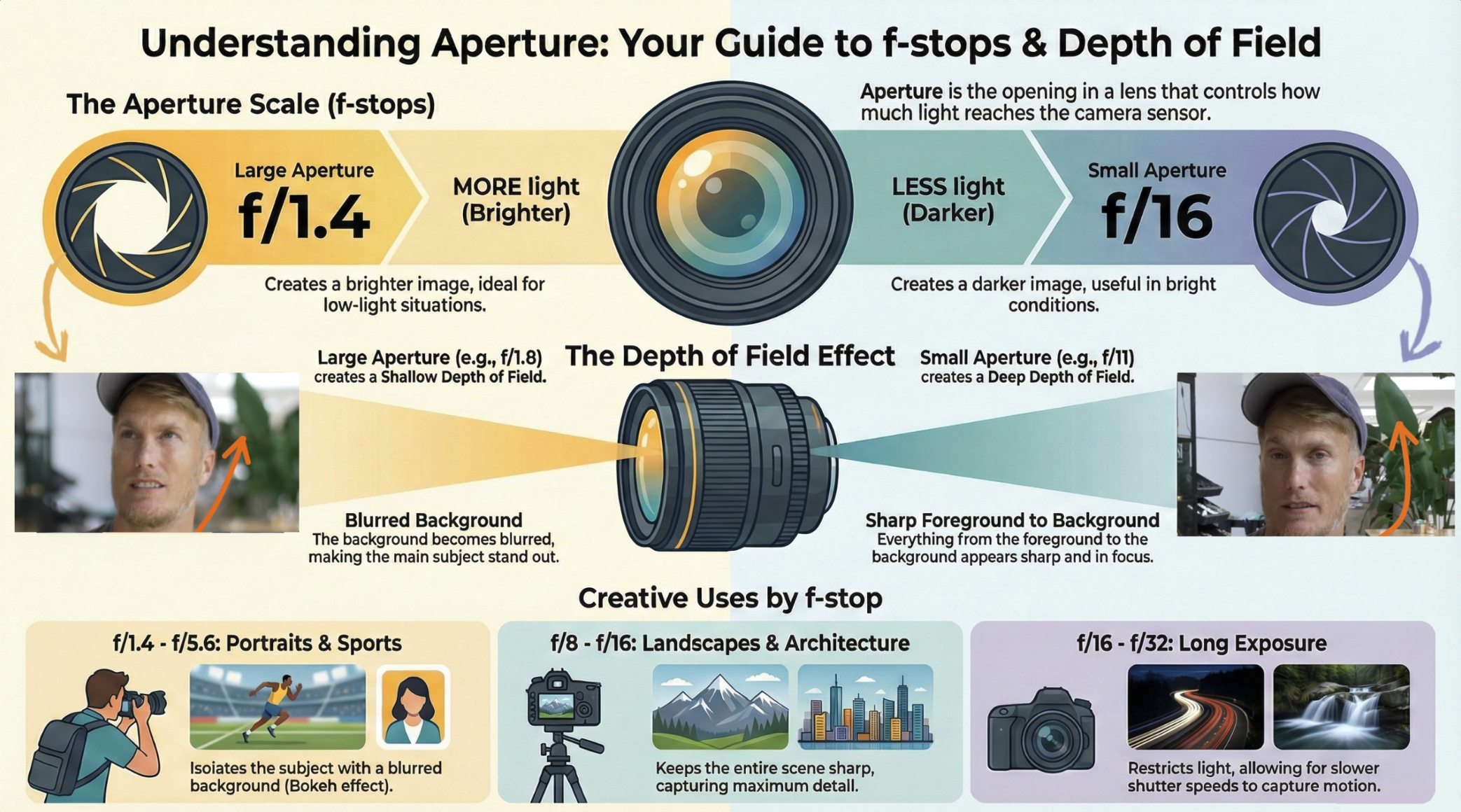
The fundamental concepts behind aperture, shutter speed, ISO, white balance, exposure, focus, lighting, and composition apply across different camera systems.
The location of the settings may change, but the underlying principles remain the same.
You can also benefit from the bundle even if you only use an iPhone or Android device because the Smartphone Content Creation Course is specifically designed around mobile content creation.
The best camera is not always the most expensive camera. It is the camera you understand and can confidently use.
Is This Course Good for Complete Beginners?
Yes. I created these courses for complete beginners and creators who are still trying to piece everything together.
You do not need a technical background or previous professional experience.
The lessons break down camera and content creation concepts step by step so you can learn without feeling like you need to understand every advanced feature at once.
I remember what it felt like to start from zero, feel overwhelmed, and wonder why my footage did not look the way I imagined.
That experience has shaped how I teach.
I focus on explaining the information in a practical order so you can understand what each setting does, why it matters, and when you should use it.
Why I Created The Content Creator Starter Bundle
I have loved cameras since I was a kid, when I started filming small stories on my parents’ VHS camcorder.
That early curiosity eventually became a lifelong passion. I went on to earn my master’s degree in Digital Media and have spent years shooting, studying, and teaching photography and videography.
One lesson has continued to stand out:
You can create incredible stories with almost any camera once you understand how the camera and lighting work.
Since launching The Film Alliance YouTube channel, more than 145,000 creators have joined the community.
One of the most common things I hear is that cameras begin to feel much simpler once everything is explained in the correct order.
That is what I want this bundle to provide.
I want you to stop feeling intimidated by your camera, stop wasting time guessing, and start feeling confident every time you record.
Lifetime Access and Future Updates
The Content Creator Starter Bundle includes lifetime access.
You can complete the courses at your own pace and return to the lessons whenever you need a refresher.
You also receive future updates added to the included courses at no additional cost.
This makes it possible to learn the fundamentals now and revisit specific lessons later as your skills, camera equipment, and content creation goals evolve.
Is The Content Creator Starter Bundle Worth It?
Buying another lens, light, camera, or smartphone may give you additional features, but new equipment will not automatically teach you how to use it.
The Content Creator Starter Bundle is designed to give you the knowledge that carries over from one camera to the next.
You are not just learning a single preset or one perfect combination of settings.
You are learning how cameras, smartphones, lighting, composition, exposure, focus, and recording settings work together.
For $97, you receive four complete beginner-friendly courses covering camera fundamentals, photography, smartphone content creation, talking head videos, and low-light shooting.
You also receive lifetime access and future course updates.
Frequently Asked Questions
How long does the bundle take to complete?
You can complete the bundle at your own pace.
The lessons are divided into focused sections so you can make progress without trying to learn everything in one sitting. Some students may work through the core material in a few days, while others may take longer and practice between lessons.
Because you receive lifetime access, there is no deadline.
What camera do I need?
The lessons apply to most interchangeable-lens cameras from brands such as Sony, Canon, Nikon, Fujifilm, and Panasonic.
You can also take the bundle if you primarily film with an iPhone or Android smartphone.
Do I need previous camera experience?
No. The courses were created for beginners.
Everything is explained step by step, and no technical background is required.
Will this help with both photography and video?
Yes.
The 3-Day Camera Jumpstart includes both video and photography fundamentals. The other courses focus on smartphone creation, talking head videos, and low-light shooting.
How is this different from watching free YouTube tutorials?
YouTube can be great for finding individual tips, but the information is often scattered across dozens of videos and creators.
This bundle provides an organized learning path so you can understand the fundamentals in the right order without constantly searching for the next tutorial.
Is there a satisfaction guarantee?
Yes. The course page currently includes a 7-day satisfaction guarantee. If you are not confident and excited about what you have learned, you can contact the team within seven days for a refund.
Start Creating Better Videos and Photos
You do not need to master every advanced camera feature before creating something great.
You need a solid understanding of the fundamentals and a simple process you can repeat.
The Content Creator Starter Bundle gives you four courses designed to help you understand your camera, improve your smartphone content, create professional talking head videos, and feel more prepared when shooting in low light.
Whether you are starting a YouTube channel, creating content for your business, documenting your travels, learning photography, or simply trying to make your videos look better, this bundle gives you a clear place to begin.
Author

